Release Notes – QPunch Version 22 to 24 (January 10, 2025)
We are pleased to announce the official release of QPunch Version 22 to 24, effective January 10, 2025. This version includes the introduction of nine new features along with several enhancements aimed at further improving the efficiency, reliability, and overall user experience of our project management platform. These updates reflect our continued commitment to incorporating client feedback and delivering solutions that support effective project execution.
What’s New:
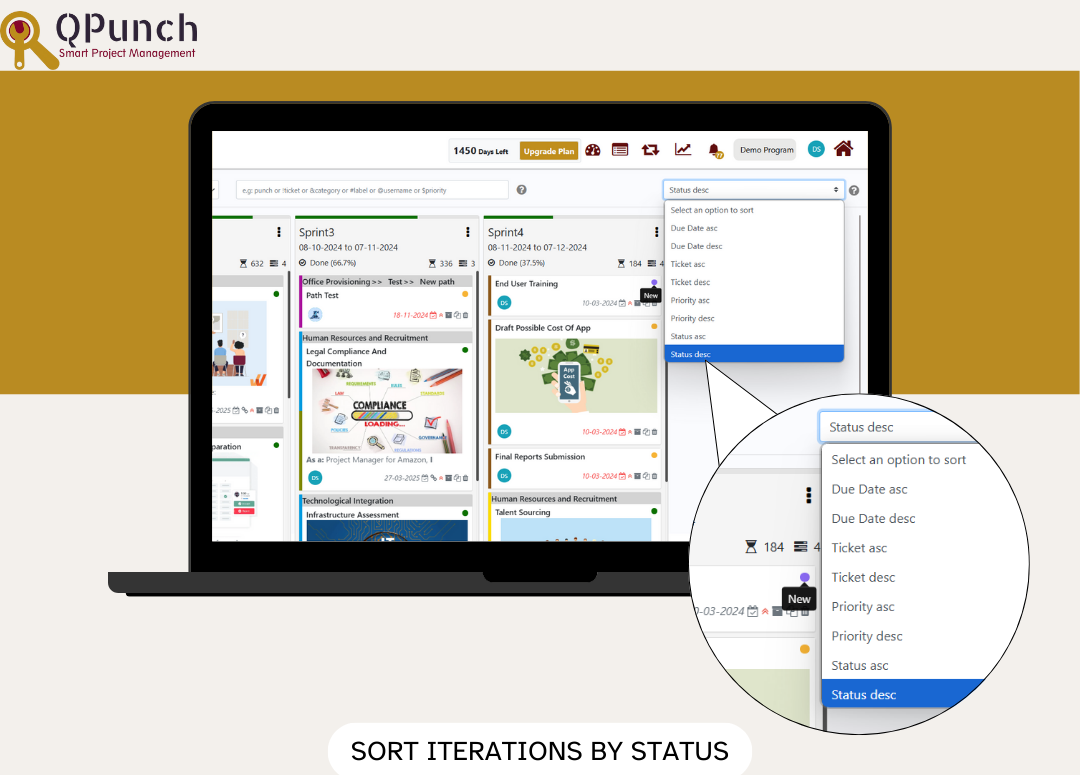
1.Sort Iterations by Status
You can now sort your iterations based on their status (New, Assigned, Progress, Resolved, Closed) in either ascending or descending order in the Iteration view for better organization and clarity.
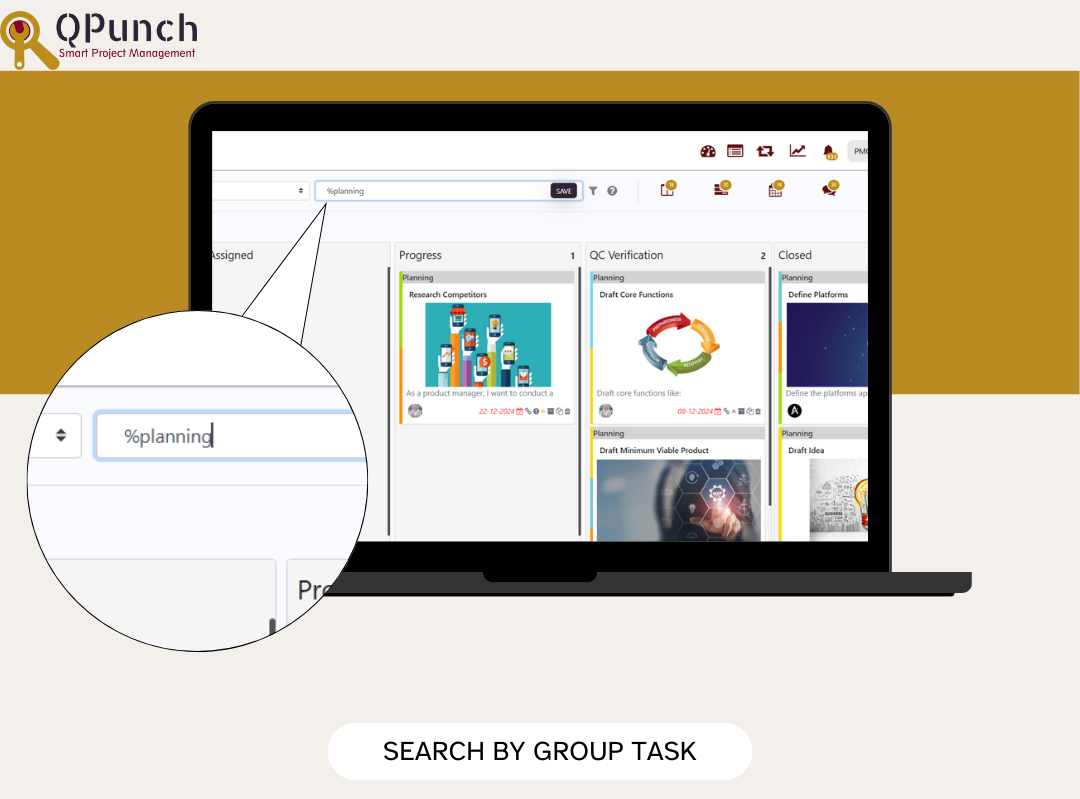
2.Search by Group Task
You can now search the Kanban board by group task using the % syntax, allowing for more efficient task organization and filtering.
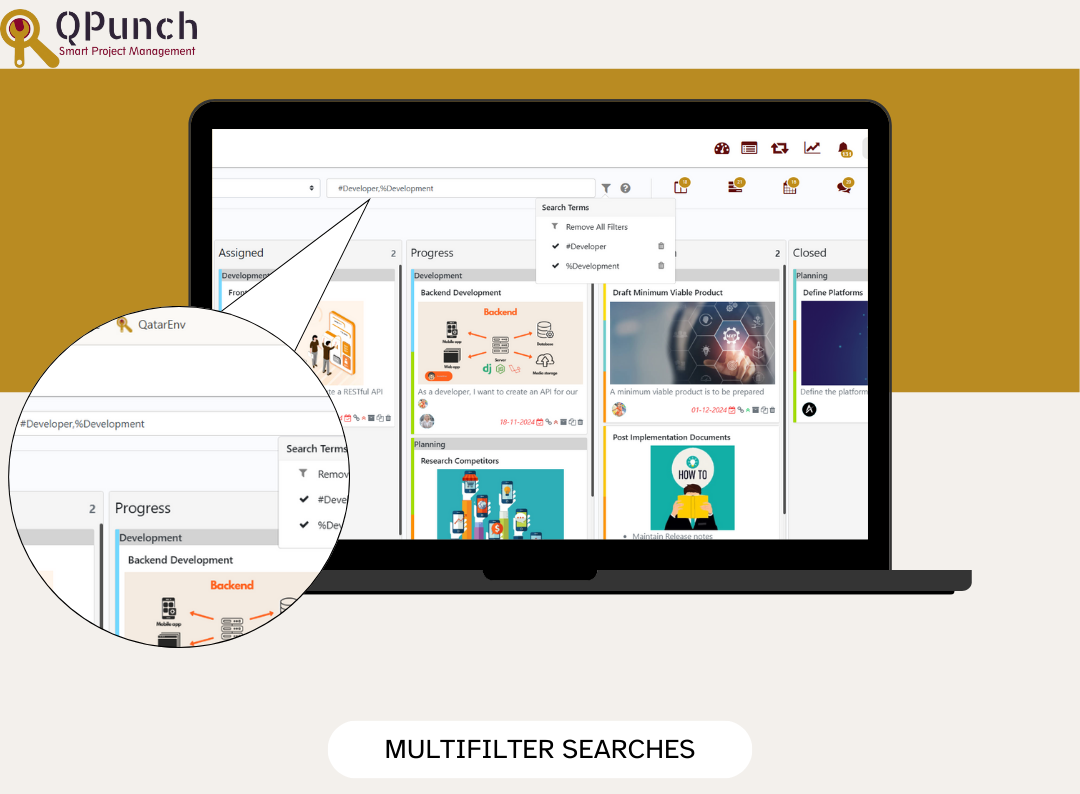
3.Advanced Multifilter Search
Refine your search results by applying multiple filters at once, enabling a more tailored and efficient search experience.
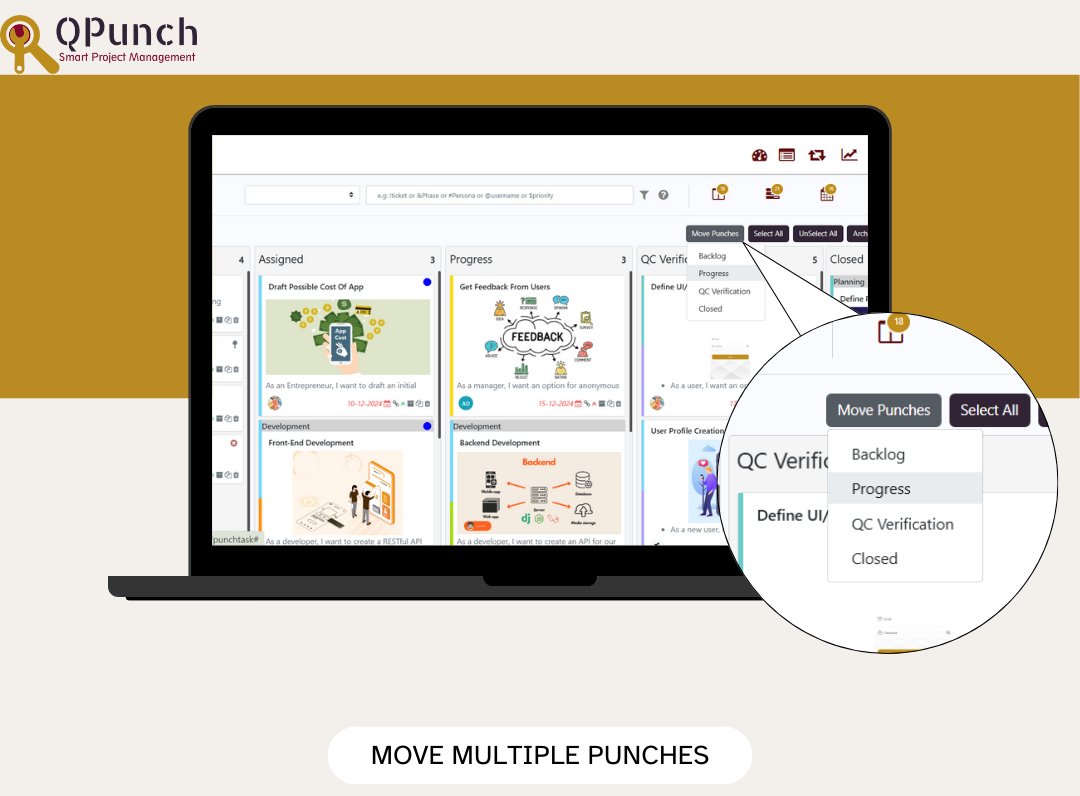
4.Move Multiple Punches
Using the multiselect feature, you can now move multiple punches within the same lane to another lane of choice in bulk, simplifying task management and improving workflow efficiency.
5.Enhanced Progress Report
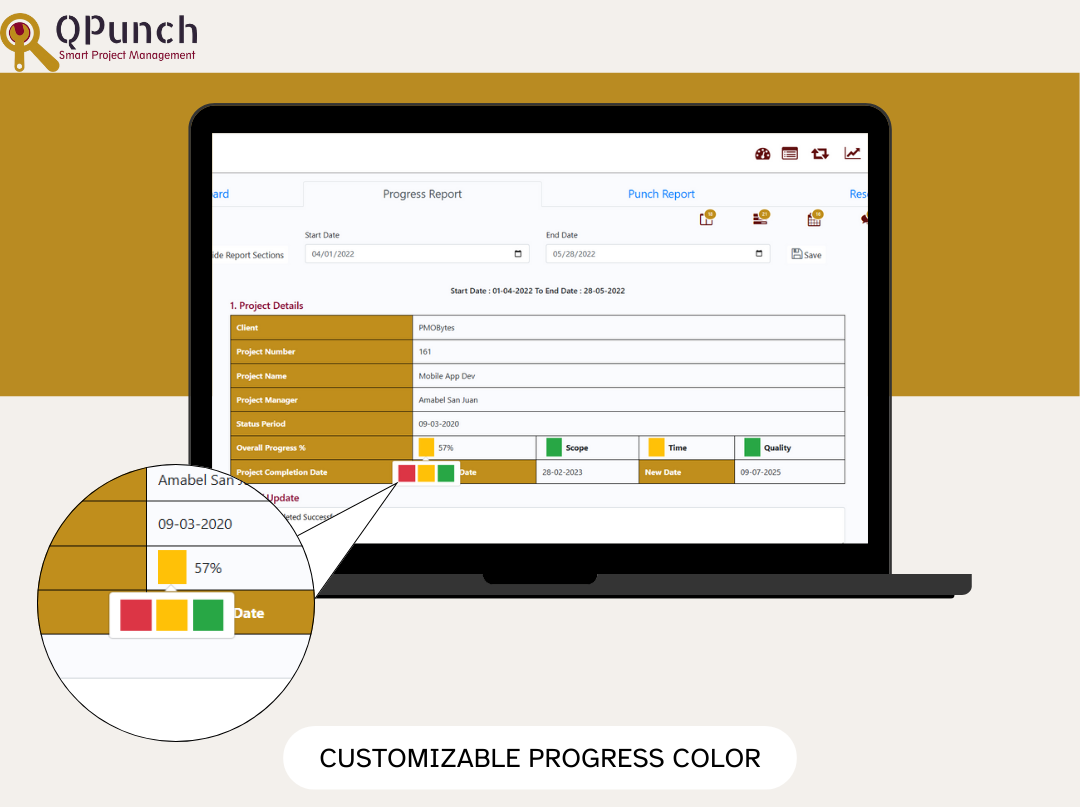
a.Customizable Progress Color
You can now manually change the color of the overall RAG (Red, Amber, Green) status to better reflect the project’s progress.
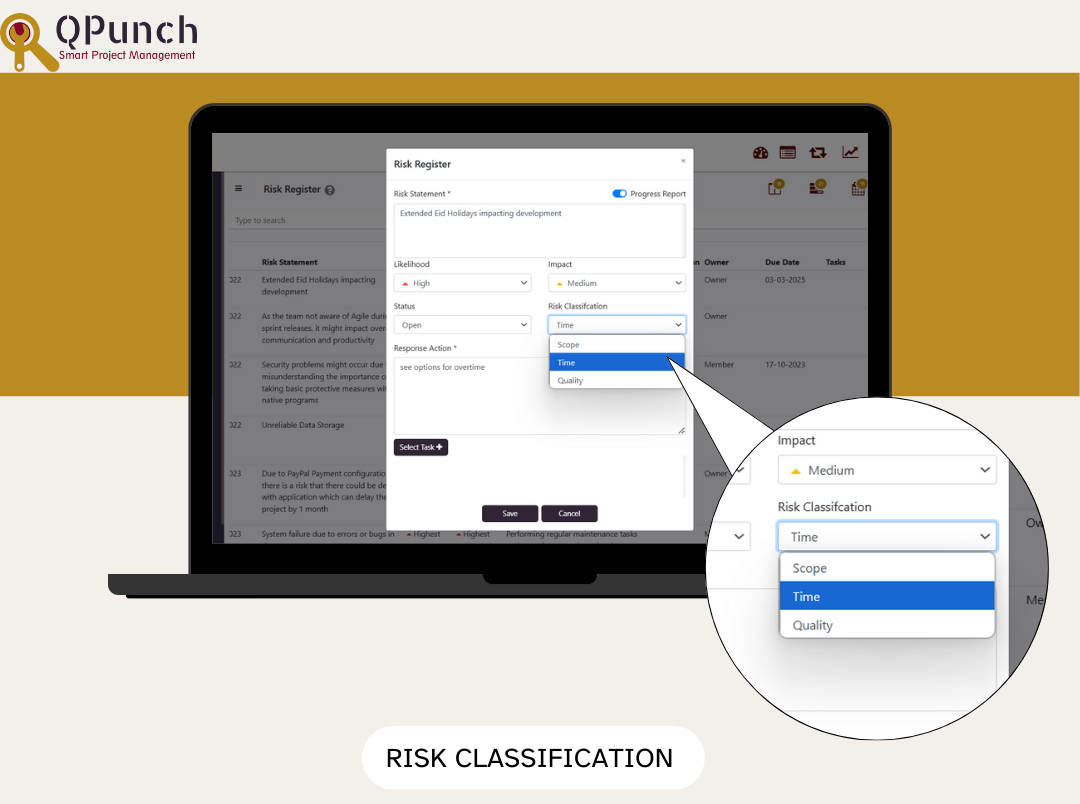
b.Risk Classification
When creating a new risk, you can now classify it as Scope, Time, or Quality. The progress color will automatically update based on the risk status, providing a clearer view of potential issues.
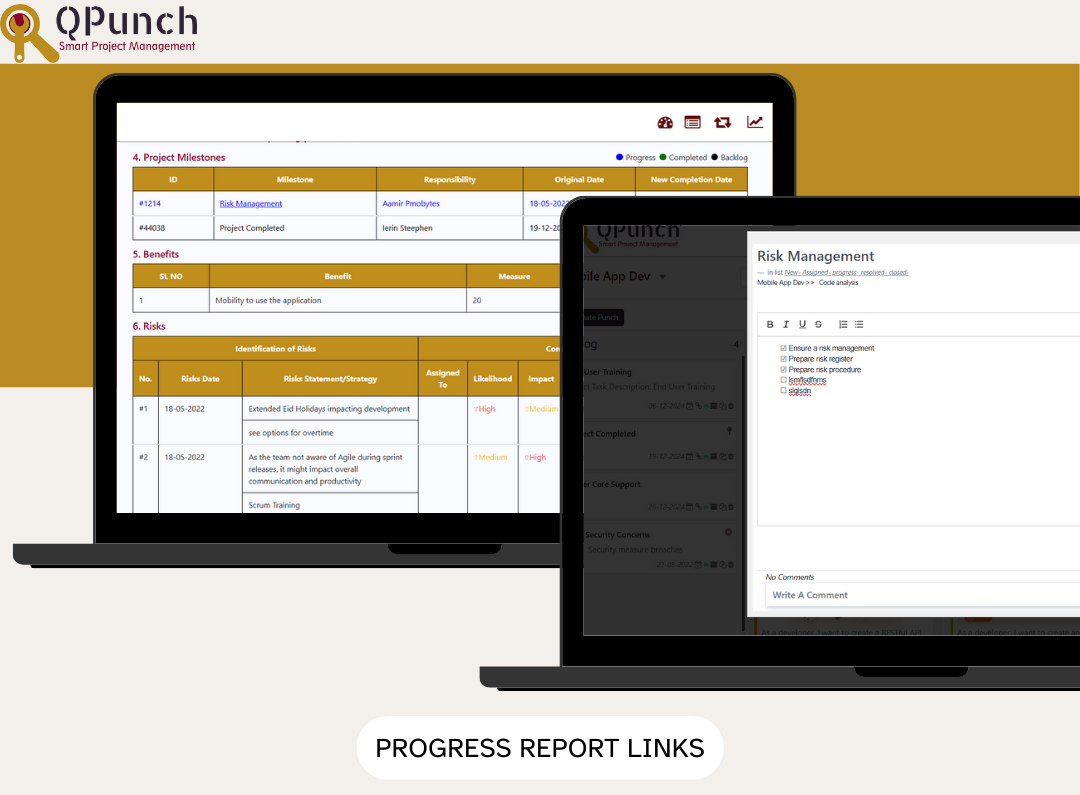
c.Task Links in Progress Report
The progress report now includes links to their respective tasks and sections, such as Team Utilization, Accomplishments, Planned Tasks, Risk Register, Outstanding Issues, and Lessons Learned.
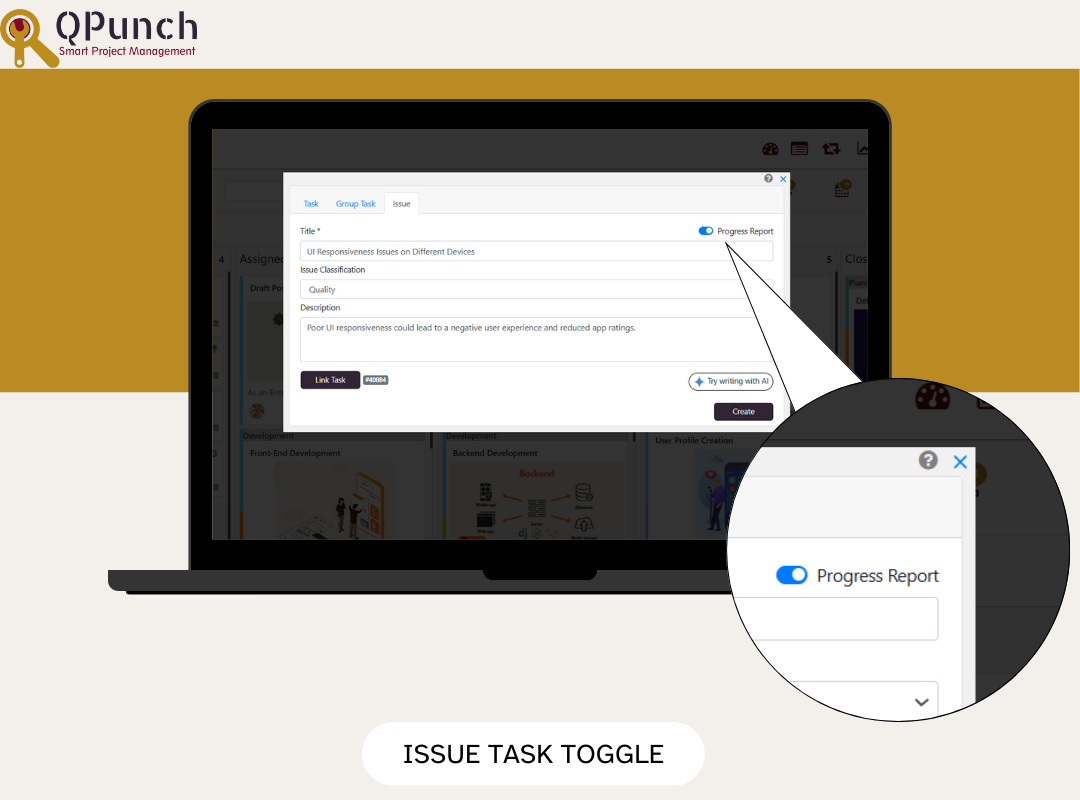
d.Issue Task Progress Report Toggle
You can now turn on the Progress Report toggle an issue task to make it visible in the Outstanding Issues section of the Progress Report, helping you track unresolved tasks.
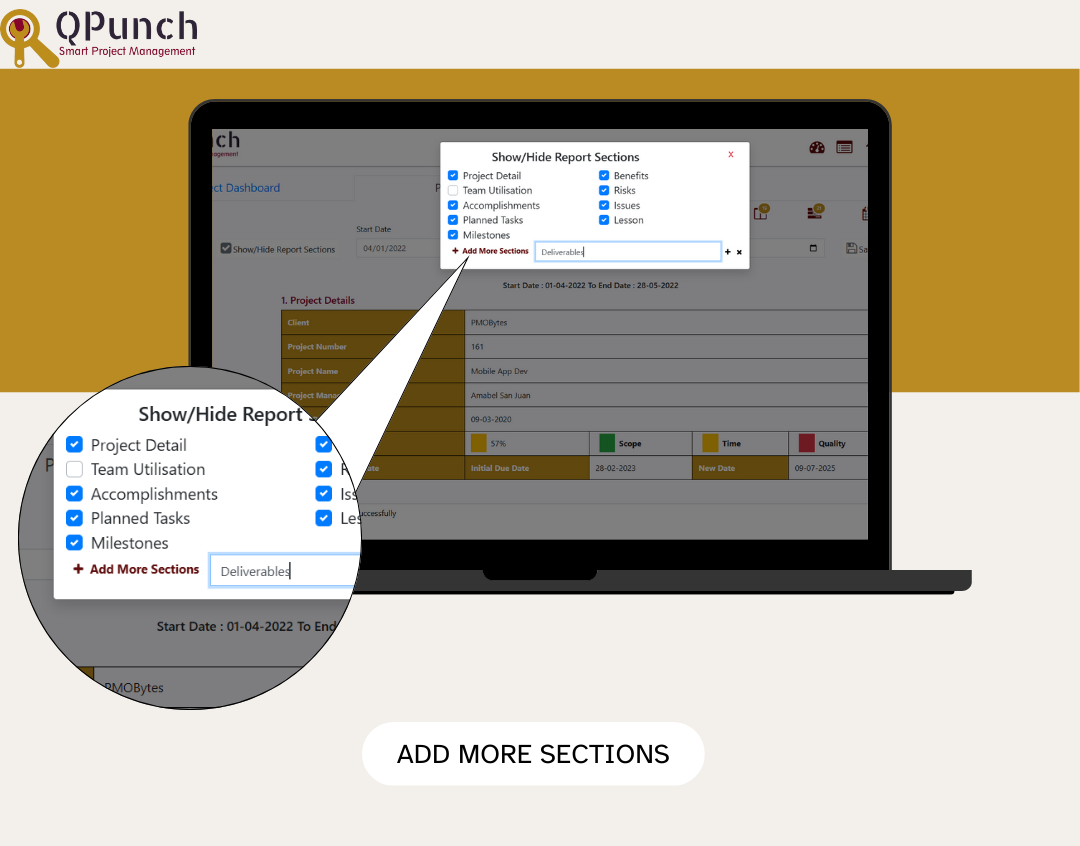
e.Add More Sections
A new +Add More Sections feature allows you to easily add custom sections to the progress report for better project tracking and reporting.
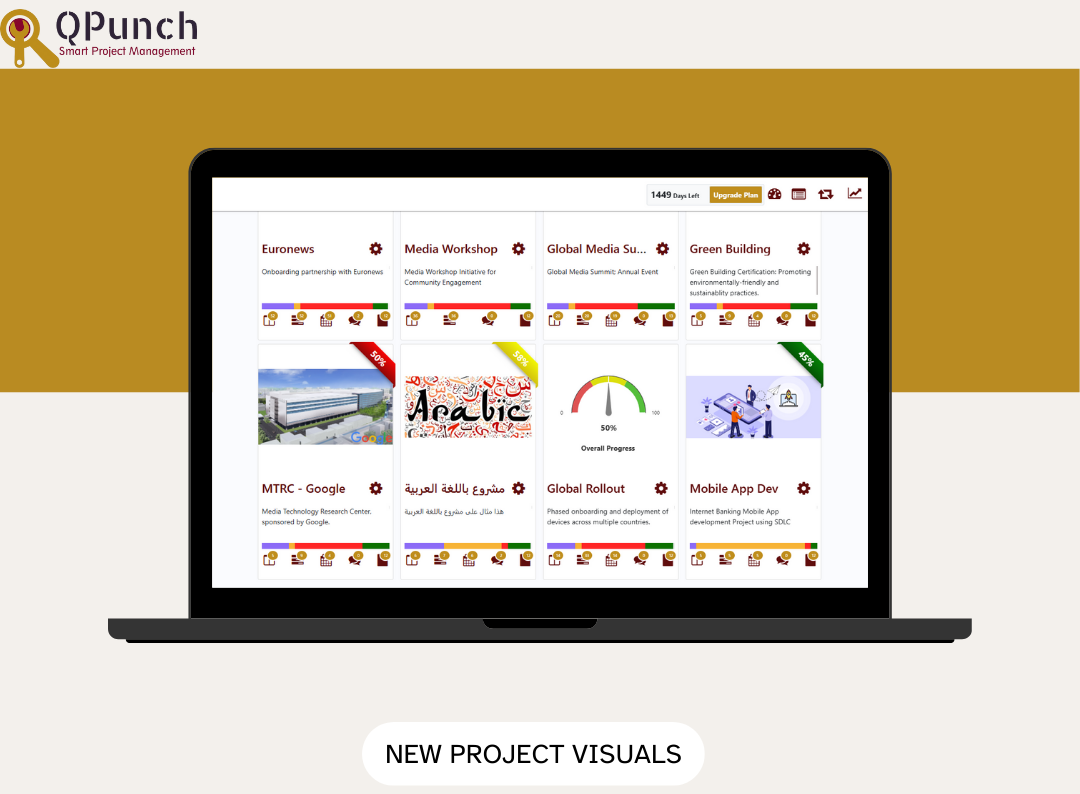
6.New Project Visuals
Projects without images now feature a speedometer to visually display progress, while projects with images will display a percentage ribbon for a clear overview of project status.
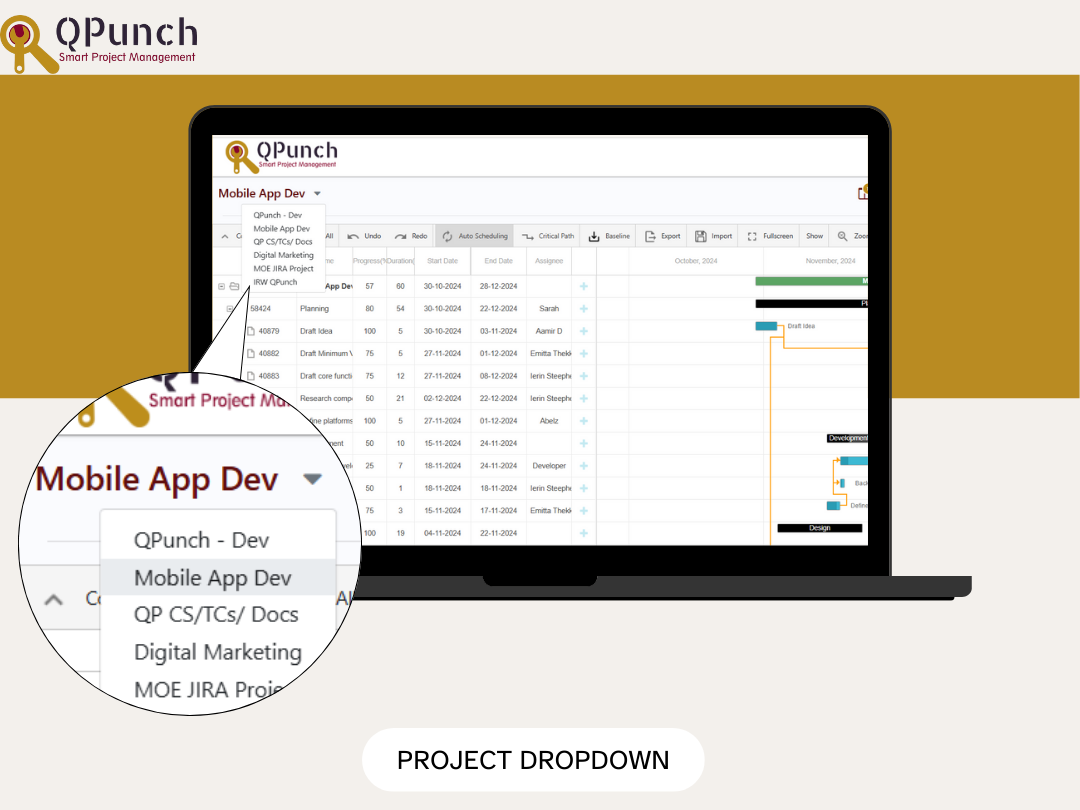
7.Project Dropdown
Easily switch between projects in Gantt and Calendar views with a new dropdown menu.
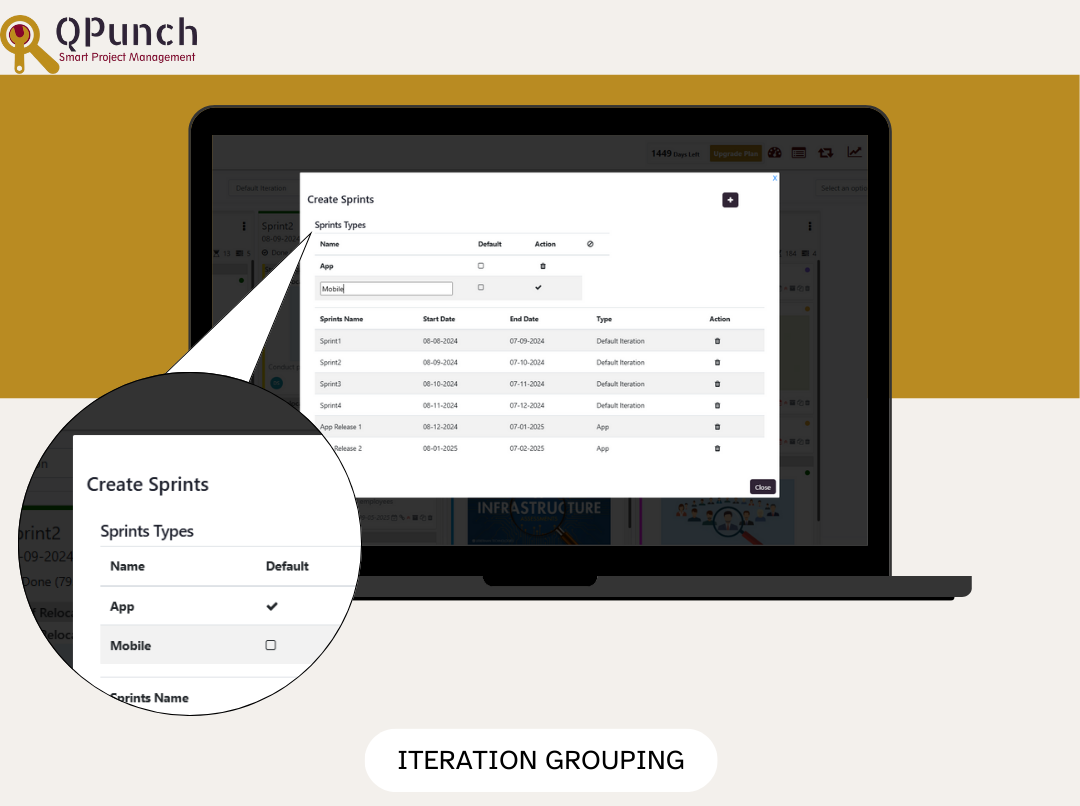
8.Iteration grouping
You can now group iterations together and create sub-iterations within each group, improving organization and workflow.
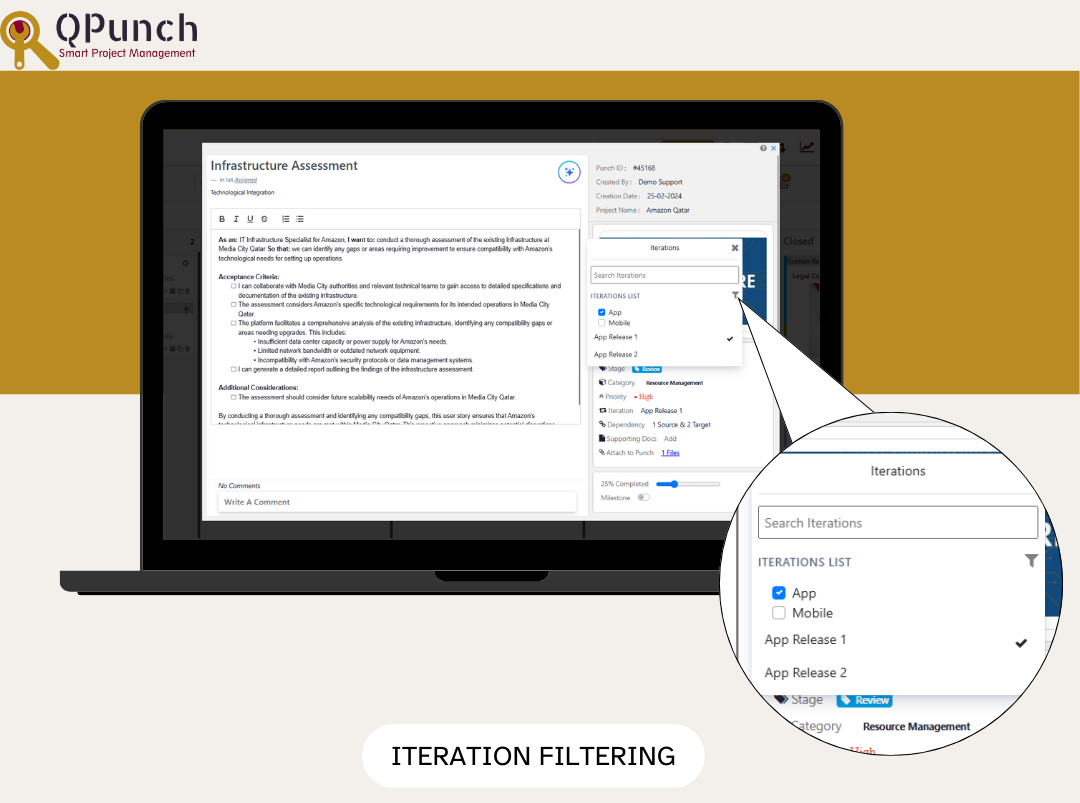
9.Iteration Filters
You can now filter iterations by group/type within the punch, making it easier to add a punch to the appropriate iteration.
Bug Fixes
We’ve also addressed various bugs to improve the overall stability, security and performance of the app.