
Release Notes – QPunch Version 26 (July 31, 2025)
We are pleased to announce the official release of QPunch Version 26, effective July 31, 2025. This version includes the introduction of seven new features along with several enhancements aimed at further improving the efficiency, reliability, and overall user experience of our project management platform. These updates reflect our continued commitment to incorporating client feedback and delivering solutions that support effective project execution.
What’s New:
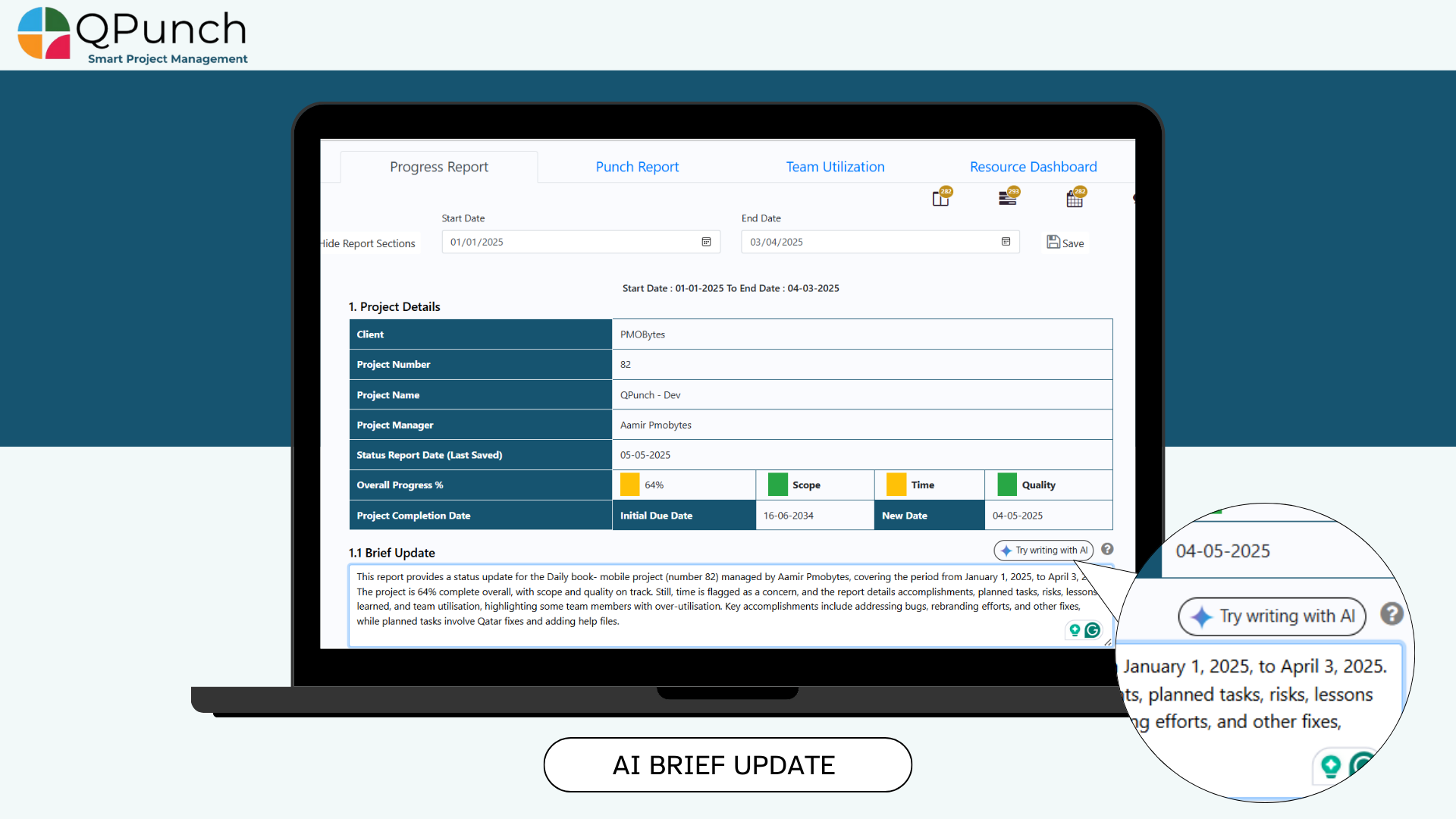
1. AI-Powered Brief Update in Progress Report
In the Progress Report > Brief Update section, we’ve added a “Try Writing with AI” button. With a single click, this feature helps you generate a concise project summary based on the entire Progress Report including pending tasks, risks and issues, milestones, saving you time and ensuring clarity.
In the Progress Report > Brief Update section, we’ve added a “Try Writing with AI” button. With a single click, this feature helps you generate a concise project summary based on the entire Progress Report including pending tasks, risks and issues, milestones, saving you time and ensuring clarity.
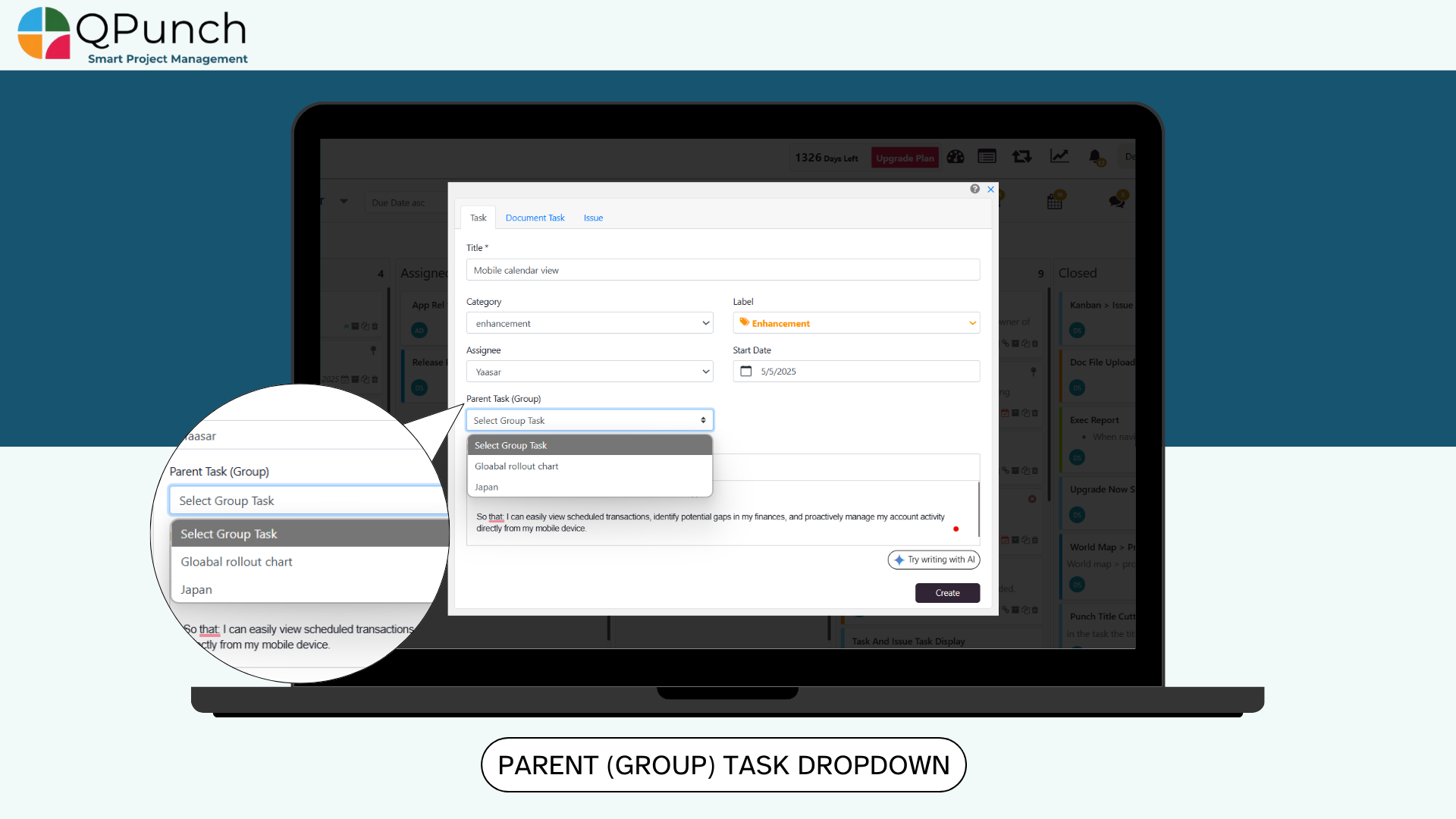
2. Parent (Group) Task Dropdown on Task Creation
When creating a new task, you can now assign it directly to a parent (group) task via a dropdown menu. Simply select the desired group from the list to ensure your tasks stay organized from the moment they’re created.
When creating a new task, you can now assign it directly to a parent (group) task via a dropdown menu. Simply select the desired group from the list to ensure your tasks stay organized from the moment they’re created.
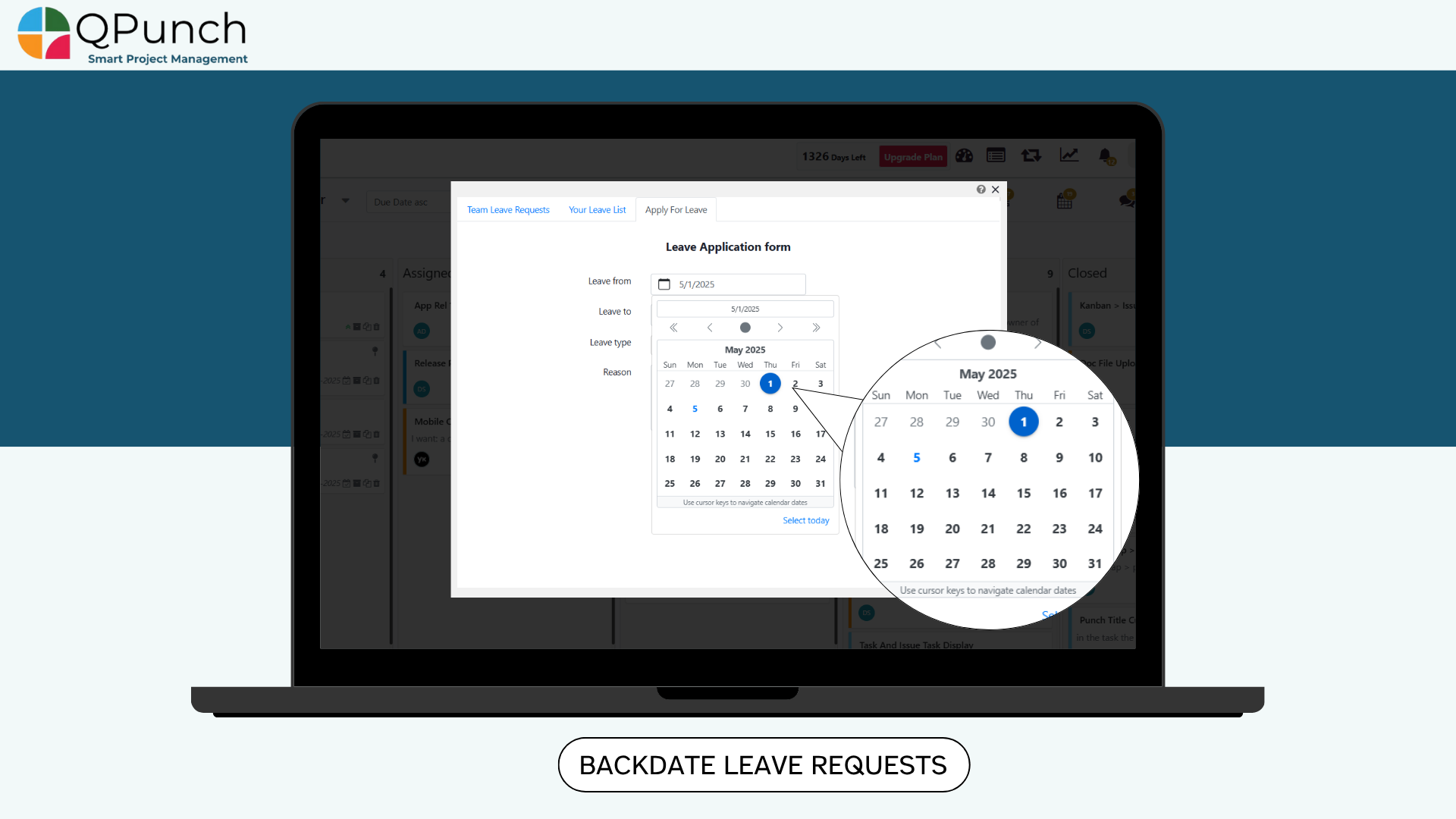
3. Past-Date Selection in Leave Calendar
You can now select past dates when applying for leave. This update makes it easier to submit leave requests for previous days directly from the calendar.
You can now select past dates when applying for leave. This update makes it easier to submit leave requests for previous days directly from the calendar.
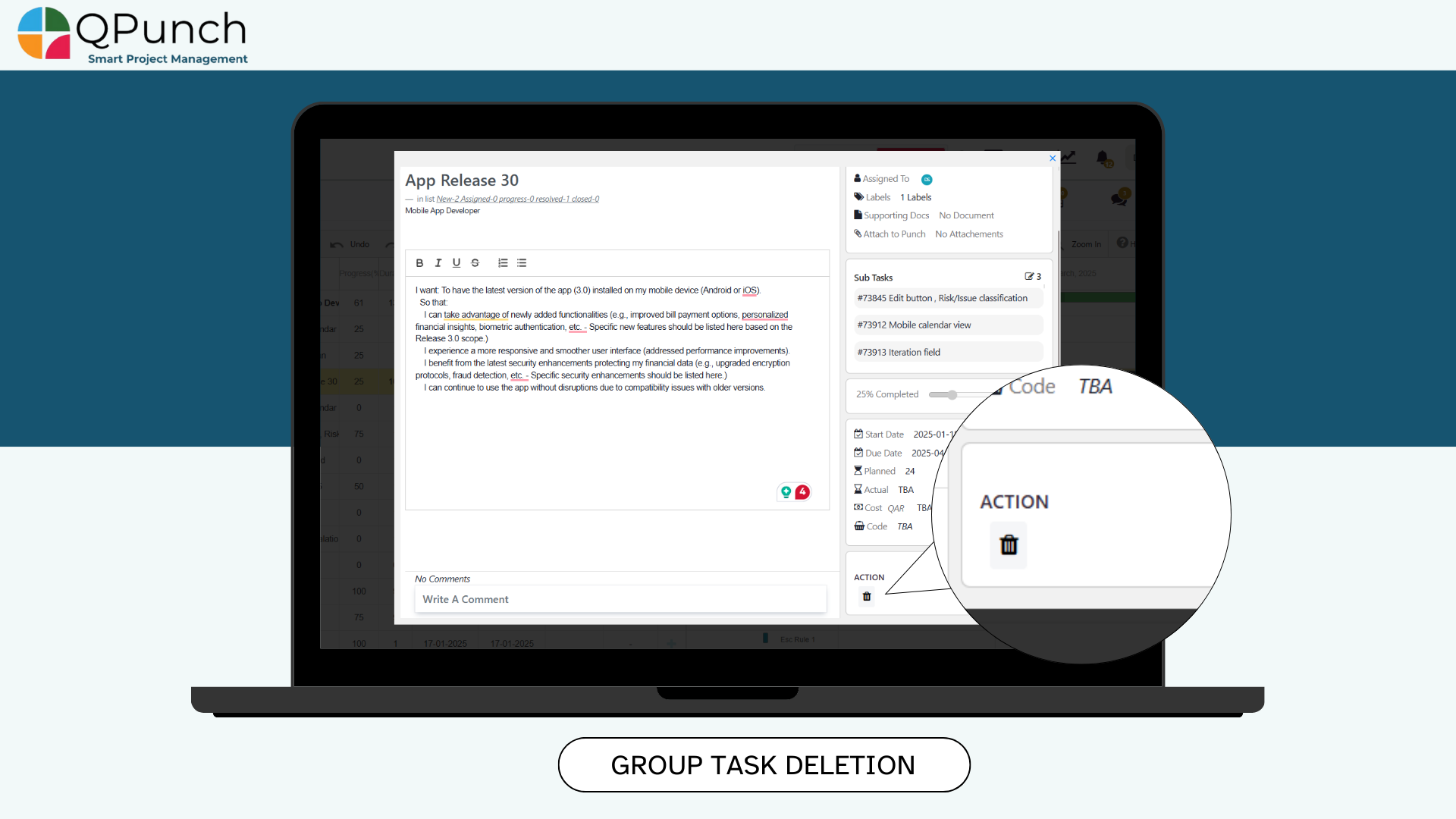
4. Group Task Deletion from Kanban
You can now delete an entire group task right from the Kanban board by clicking the delete icon inside the group task. Please note that all subtasks within a deleted group will also be removed and to preserve specific subtasks, edit the group first and remove the subtasks you wish to delete.
You can now delete an entire group task right from the Kanban board by clicking the delete icon inside the group task. Please note that all subtasks within a deleted group will also be removed and to preserve specific subtasks, edit the group first and remove the subtasks you wish to delete.
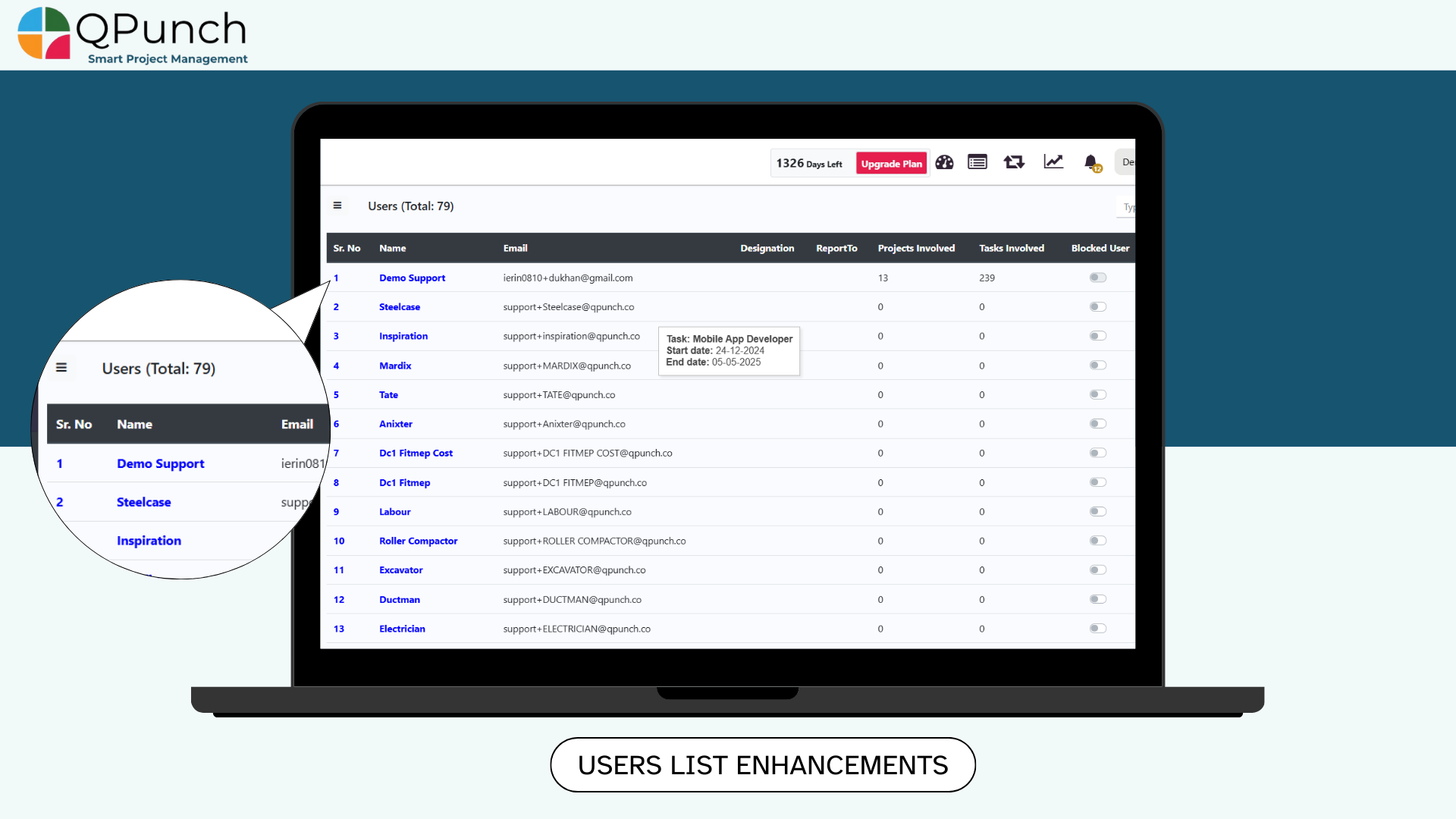
5. Users List Enhancements in Subscription Settings
In Subscription Settings > Users, we’ve added:
• A “Total Users” count at the top of the page (e.g., “Total Users: 79”)
• And a serial number column before each username
This makes it quick and easy to see your active users at a glance.
In Subscription Settings > Users, we’ve added:
• A “Total Users” count at the top of the page (e.g., “Total Users: 79”)
• And a serial number column before each username
This makes it quick and easy to see your active users at a glance.
6. User-Based Utilization View
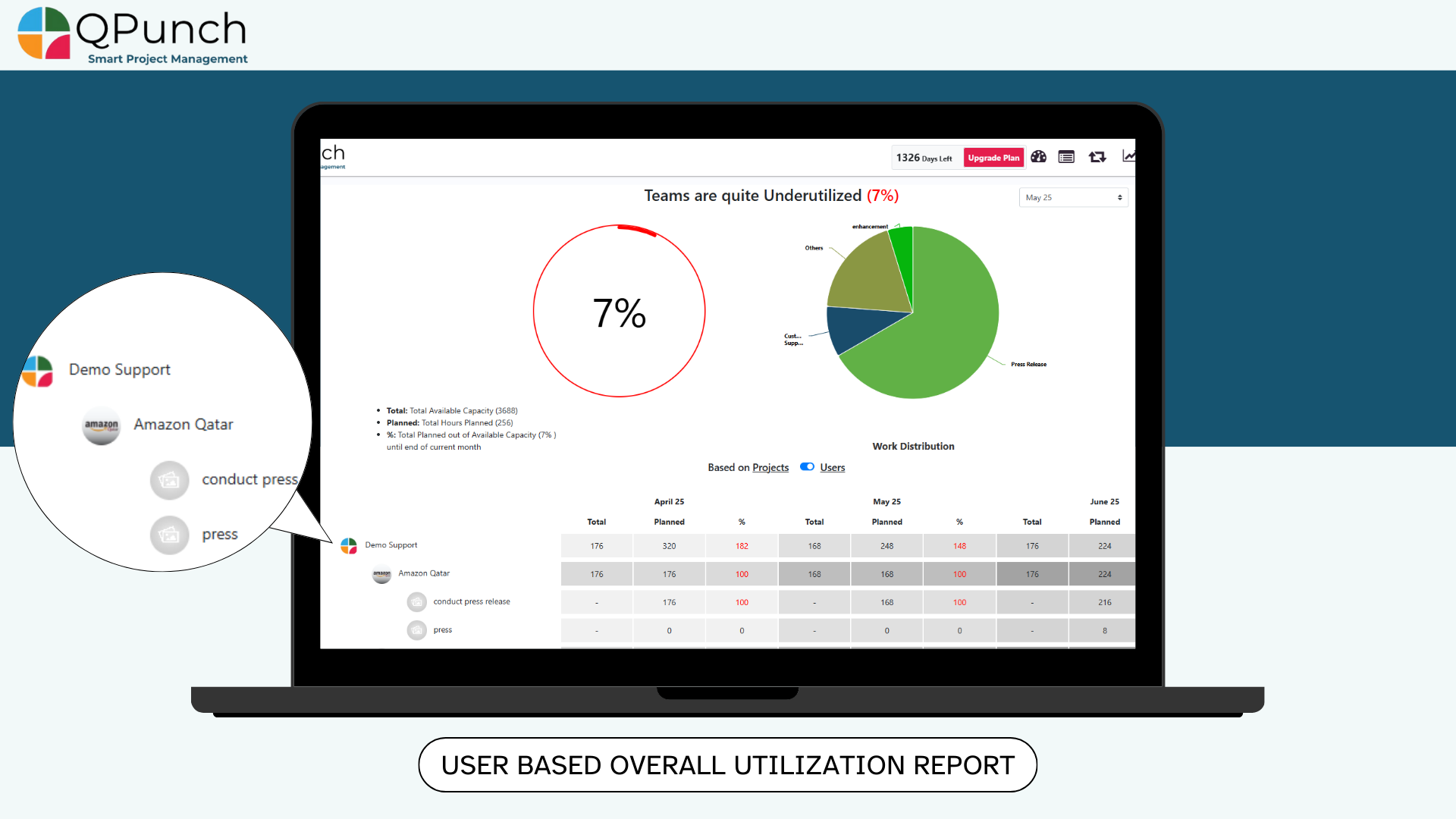
Users can now view overall utilization report from a user-based perspective, and drill down from user → project → task and track available vs. planned hours and utilization percentages at each level. This gives a clearer picture of individual workloads and resource distribution.
7. Switch Toggle for User/Project-Based Utilization Report
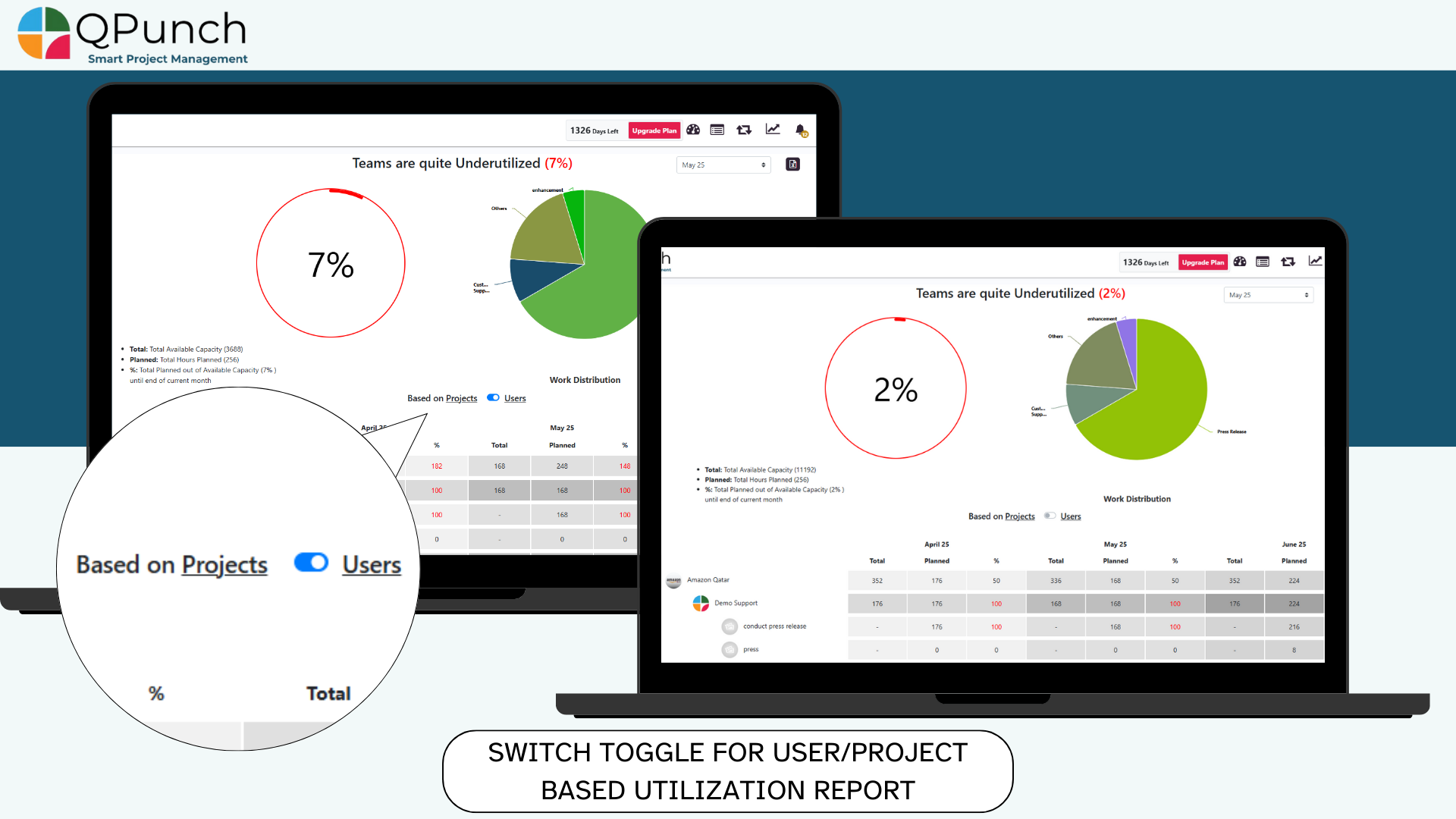
We’ve added a new toggle above the overall utilization table to seamlessly switch between User-Based and Project-Based views. This small enhancement significantly improves planning and workflow efficiency.
We’ve added a new toggle above the overall utilization table to seamlessly switch between User-Based and Project-Based views. This small enhancement significantly improves planning and workflow efficiency.
Bug Fixes
We’ve also addressed various bugs to improve the overall stability and performance of the app.
Address On Maps
Ready To Get Started with Smart Project Management?